
Suppose a participant submits a report and a separate JSON file containing a Creation Record. You previously agreed to use the information in a discussion about the work. Now you want to check that you have the correct files and see what the record contains.
Start with the technical check. Then read the session information in the context of the assignment. We use a fictional example here. The screenshot comes from our macOS app and shows demo data, not a participant’s submission.
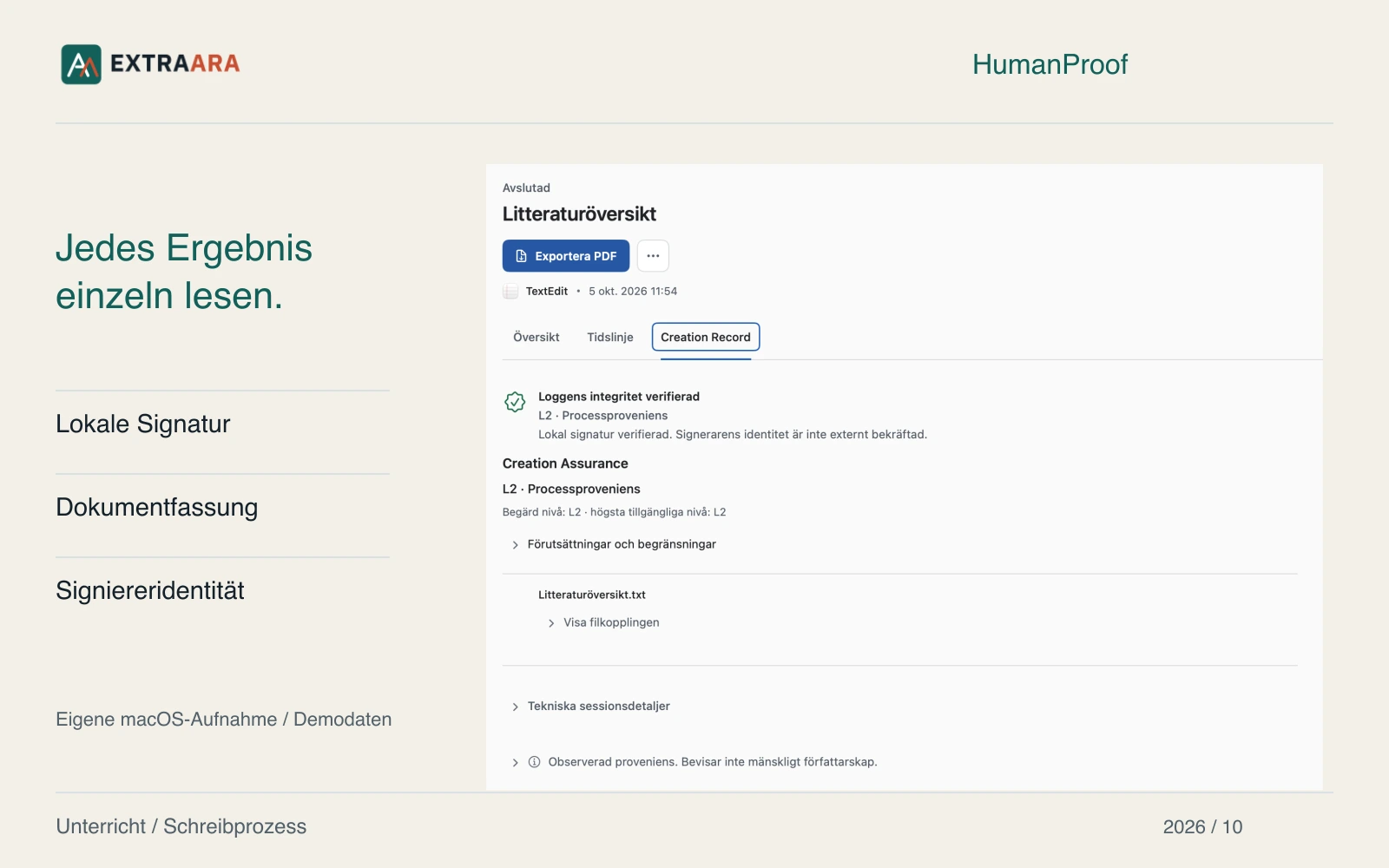
Open the full-size image
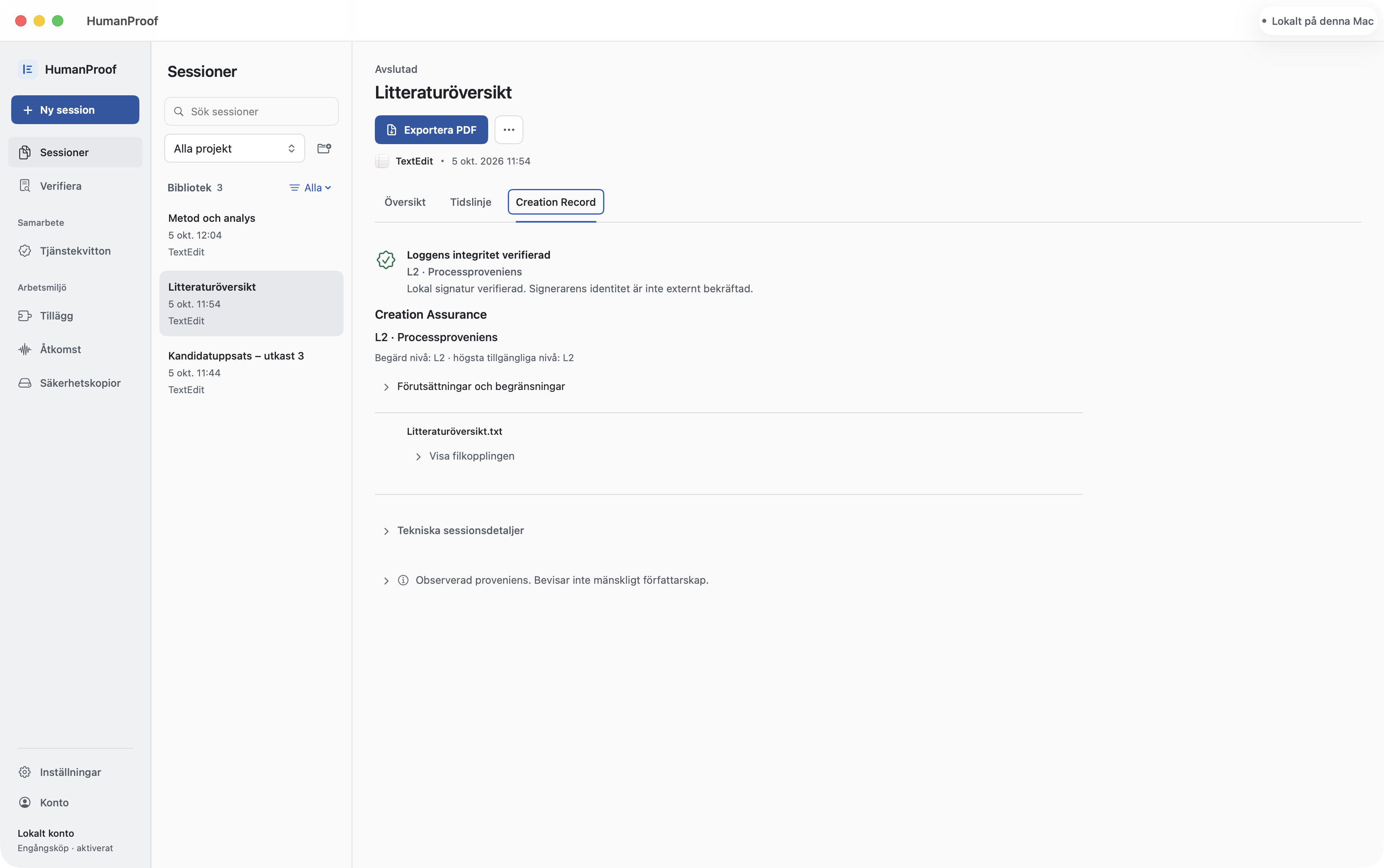
Keep the document version you received
Keep the document version you received. Exporting it again before checking can change its bytes. File comparison requires the exact version referred to by the binding in the record. You may receive a Creation Record in two forms:
- As a separate JSON file submitted with the document.
- Embedded in a PDF evidence document. This evidence document is a different file from the submitted report.
Compare the files against the agreed submission instructions. If something is missing, ask the sender. A forgotten attachment is initially a documentation issue and says nothing on its own about how the text was created.
Select the record and document in your browser
You can first try the process in the demo . Its labelled synthetic examples also show what happens with a modified file or damaged record.
- Open ExtraProof Verify. No account is needed.
- Select the file containing the Creation Record.
- For file comparison, also select the associated document version. Without a file binding, this comparison is unavailable.
- Read integrity and file-comparison results separately. Then establish which signing key you can trust.
Files selected for this check are processed locally in the browser and are not uploaded.
For a PDF evidence document, Verify reads the embedded record. It does not check the visible PDF pages or a separate PDF signature. File comparison applies to the additional document you select.
Read each result on its own
Successful integrity verification means the record passes checks including its signature and event chain. Successful file comparison means the document’s fingerprint matches the binding in the record. Read both results; neither replaces the other.
Who used the signing key requires separate consideration. A locally valid signature is not an independent identity confirmation. If a course requires a key from a particular trusted issuer, you need a separate, known source for that information. The record cannot establish its own trustworthiness.
On small screens, the table can be scrolled horizontally.
| Check | What it refers to |
|---|---|
| Record integrity | Signed information and the recorded event chain |
| Matching document file | The exact version bound by the fingerprint |
| Trusted key | Association with a separately confirmed issuer |
| Recorded period | Session start and end and the stated recording boundaries |
Clarify a mismatch before interpreting it
If the document does not match the binding, it may be a later export. Ask for the bound original version or a new record for the current file. Do not modify the original record to produce a matching comparison.
Without a file binding, the document cannot be compared with the record in this way.
If signature verification fails, check whether you received the original file and whether the format is supported. Follow the specific error message.
None of these results automatically establishes deception or AI use. They describe what could be verified in the material received. Questions about the work should follow the course’s usual procedures.
Relate your follow-up question to a specific decision
Read the documented period and stated recording boundaries. Text already present at session start may have originated elsewhere. The same applies to work during a pause. Ask about what matters for the agreed task.
For a project assignment, ask specifically: you changed your decision between the draft and final version; which information led to that change? The person can use the text, their notes and session information to explain.
A valid record proves neither that an argument originated with the person submitting it nor that no AI was used. It does not replace expert assessment. Before a course trial, agree how information is shared, who can see it and how long it is kept.
The product documentation on Creation Records, trust and local processing explains the scope of the checks. The product information in this article was editorially reviewed on 8 October 2026.